ReceiptTrack
Manage customers, suppliers and contractors
Use Contacts for customers and Suppliers for suppliers or contractors. Add the required display name, complete relationship and registration details where relevant, then Save. Archive hides a record from active choices without deleting its history. Create reusable trading-party records without losing historical document links.
Quick answer
Use Contacts for customers and Suppliers for suppliers or contractors. Add the required display name, complete relationship and registration details where relevant, then Save. Archive hides a record from active choices without deleting its history.
Before you start
- Know whether the party is a customer, supplier or contractor.
- Have legal name, company/VAT number, address and payment terms where relevant.
- Add a customer.
- Add a supplier or contractor.
- Search, edit, archive and reactivate records.
1. Add a customer
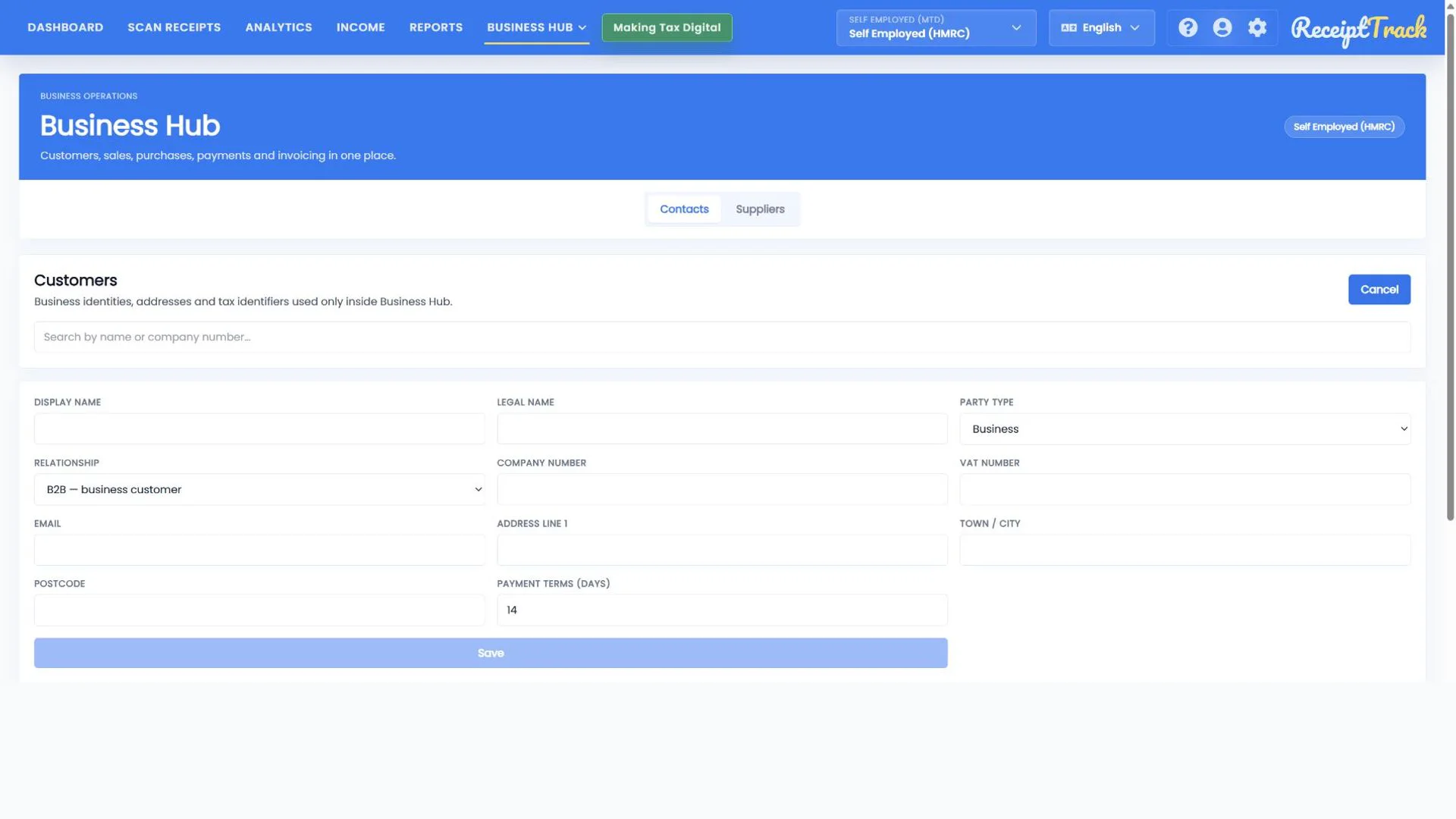
Open Contacts and choose Add contact. Enter Display name first; Save becomes available once required data is valid. Cancel returns without creating a record.
- Use Legal name when it differs from the trading name.
- Choose person or organisation and B2B or B2C relationship accurately.
- Add company/VAT number, email and postal address when known.
- Default payment terms can prefill future documents.
2. Add a supplier or contractor
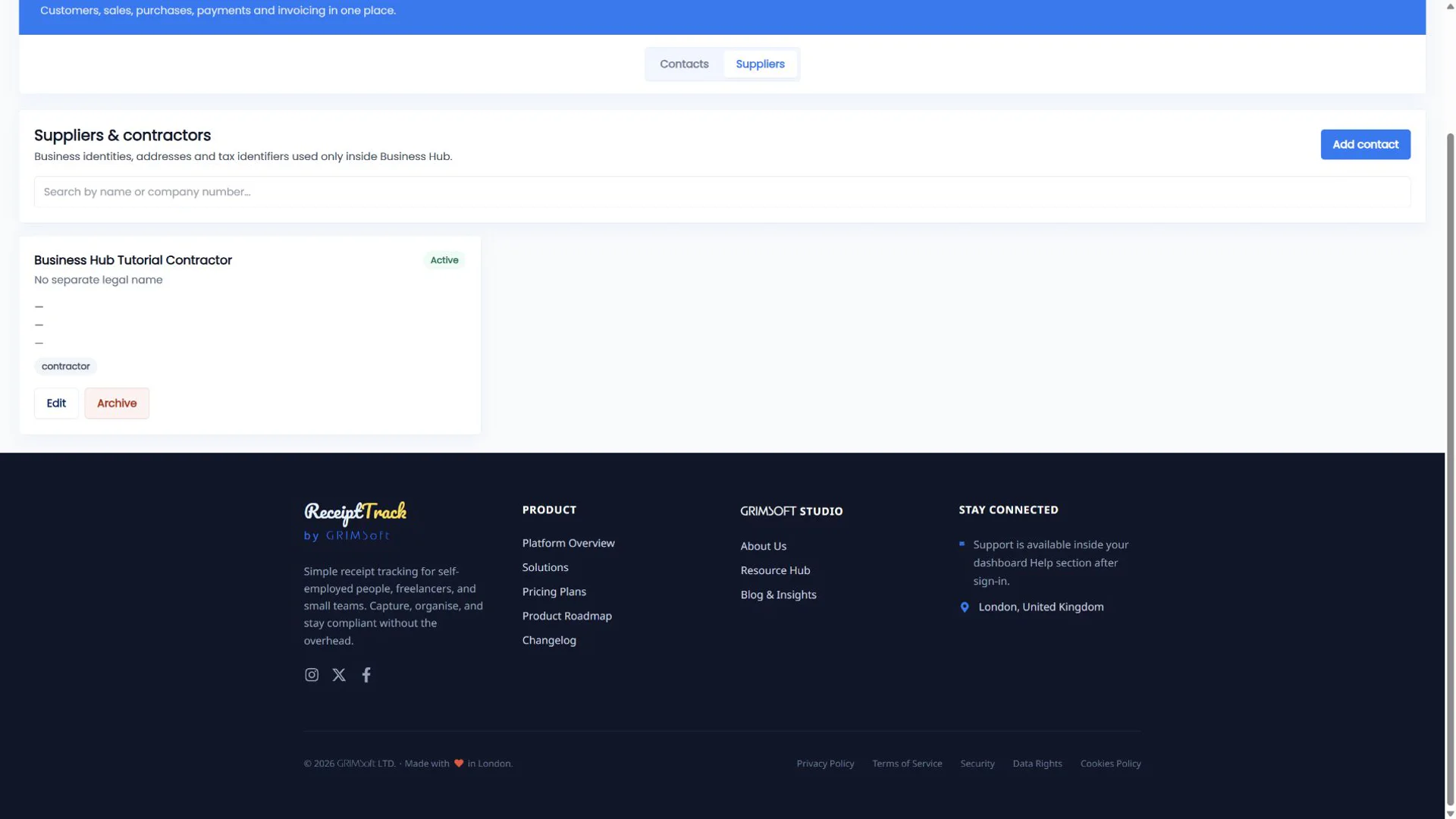
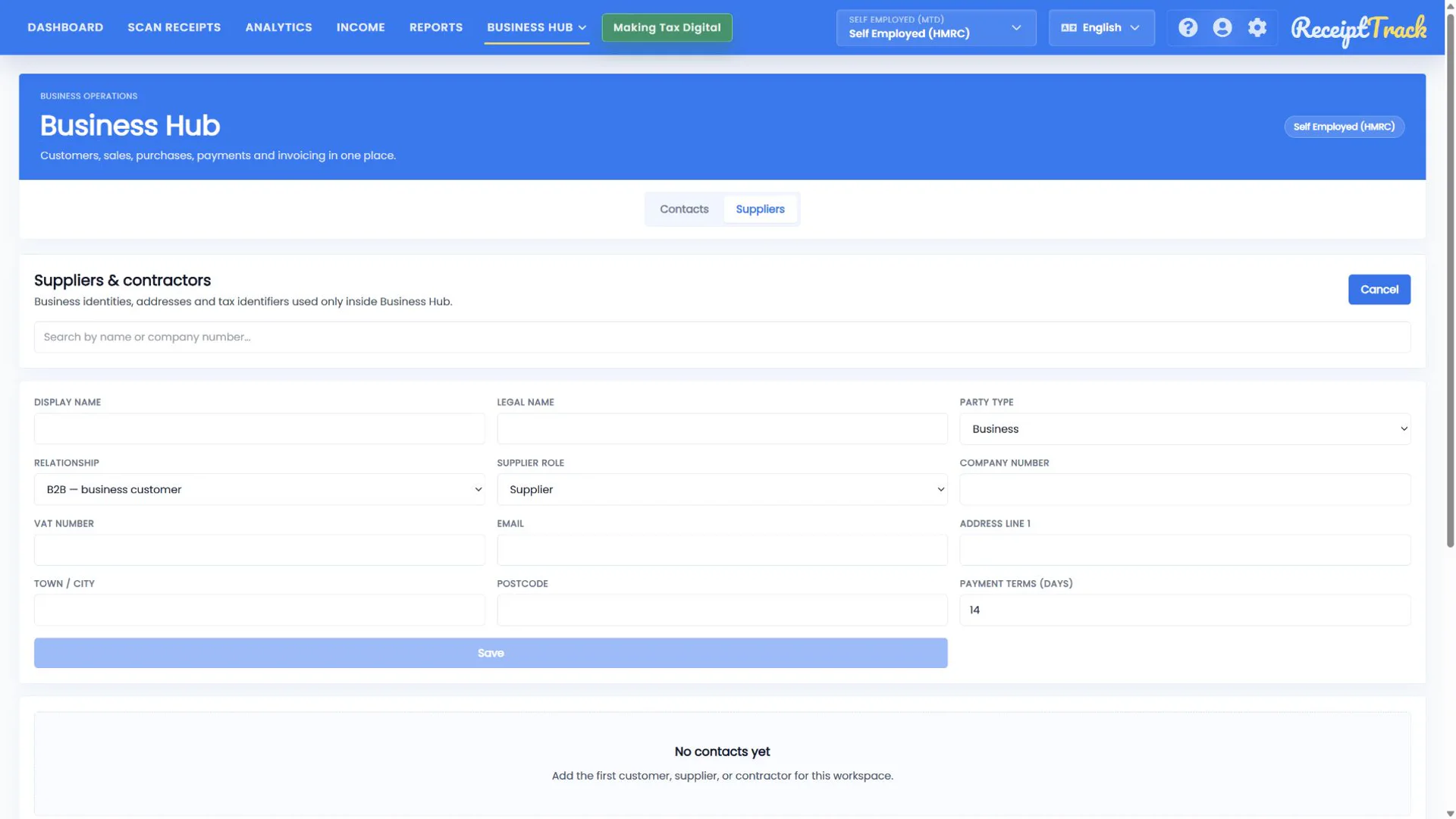
Open Suppliers, choose Add supplier, then select Supplier or Contractor in Role. The remaining identity, registration, address and payment-term fields follow the same pattern.
3. Find and maintain a record
Use search to narrow the list. Edit updates the reusable record for future selections. Archive removes it from active pickers; Reactivate makes it available again.
- Archiving is safer than deleting a party used by issued documents.
- Historical invoice snapshots do not change when a contact is edited.
- The correct party type and role are visible.
- Address and identifiers are complete enough for documents.
- Archived contacts remain represented in history.
- Save stays disabled until required data is present.
- Do not create duplicate records for minor spelling changes—edit the existing party.
- A supplier cannot be selected on a bill if it is archived.
Contact checklist
- Display/legal name checked
- Party and relationship type selected
- Role selected for suppliers
- Registration and address reviewed
- Payment terms set
Your trading parties are reusable and auditable
Clean contact records speed up documents, while archive and snapshot behaviour protects the historical trail.
Sources
- ReceiptTrack Business Hub product guide
- ReceiptTrack pricing and Business Hub access
- ReceiptTrack product overview
Related guides
All ReceiptTrack Business Hub guides See the product Start free