ReceiptTrack
Build the products and services catalogue
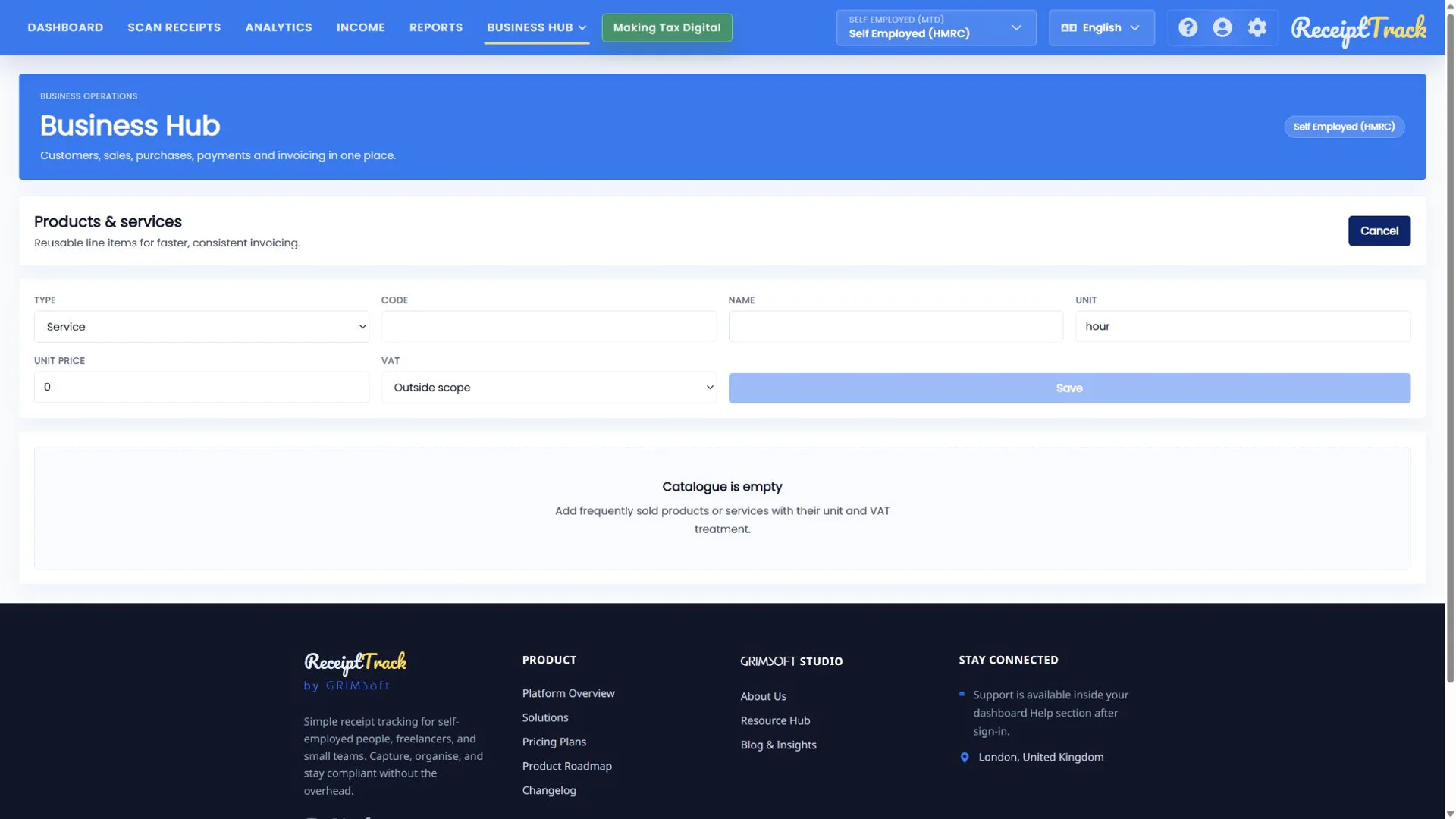
Open Catalogue, select Add item, choose Product or Service and enter code, name, unit, unit price and VAT treatment. Save creates a reusable line default; it does not create an invoice or accounting entry. Store consistent line-item defaults that make sales documents faster to prepare.
Quick answer
Open Catalogue, select Add item, choose Product or Service and enter code, name, unit, unit price and VAT treatment. Save creates a reusable line default; it does not create an invoice or accounting entry.
Before you start
- Prepare a short unique code and customer-facing name.
- Confirm normal unit and selling price.
- Choose VAT treatment based on the supply, not just the customer.
- Create a catalogue item.
- Understand every field and VAT choice.
- Reuse and maintain catalogue defaults safely.
1. Open a new item
From Catalogue choose Add item. Cancel closes the editor; Save appears once required fields are valid.
2. Complete the fields
Choose Service or Product, add an internal code, customer-facing name, unit and unit price. Select the correct VAT treatment: outside scope, standard 20%, reduced 5%, zero-rated or exempt.
3. Save and reuse
Save adds the item to the catalogue. Selecting it on a draft copies its defaults into that line, where authorised users can still make a document-specific adjustment.
- Editing a catalogue item affects future selections only.
- The invoice snapshot preserves the actual description, price and VAT used.
- A catalogue record alone has no accounting effect.
- Code and name are recognisable.
- Unit and price match normal trading practice.
- VAT treatment is deliberate.
- The item appears in future sales line choices.
- Do not use outside scope, zero-rated and exempt interchangeably.
- A price should be stored consistently as the UI describes it.
- Duplicate codes make selection harder.
Catalogue checklist
- Type selected
- Code and name clear
- Unit and price checked
- VAT treatment confirmed
Your line defaults are ready
A tidy catalogue reduces repeated typing and inconsistency while leaving each draft and issued snapshot explicit.
Sources
- ReceiptTrack Business Hub product guide
- ReceiptTrack pricing and Business Hub access
- ReceiptTrack product overview
Related guides
- Create quotes, invoices and credit notes
- Set up your business profile, invoice logo and document settings
All ReceiptTrack Business Hub guides See the product Start free