ReceiptTrack
Set up Mileage fleet and rates
Open Mileage > Fleet, add the registration, ownership, description and vehicle type, then review Mileage > Settings. Rates are versioned by tax year on the server; you record accurate journeys rather than typing a rate for each trip. Prepare vehicles and understand the tax-year rules used by Mileage tracking.
Quick answer
Open Mileage > Fleet, add the registration, ownership, description and vehicle type, then review Mileage > Settings. Rates are versioned by tax year on the server; you record accurate journeys rather than typing a rate for each trip.
Before you start
- Have the vehicle registration and description.
- Know whether it is personal, company or leased.
- Choose the correct vehicle type: car, van, motorcycle or bicycle.
- Add and maintain a vehicle.
- Review effective mileage rates.
- Understand operating and evidence rules.
1. Add a vehicle
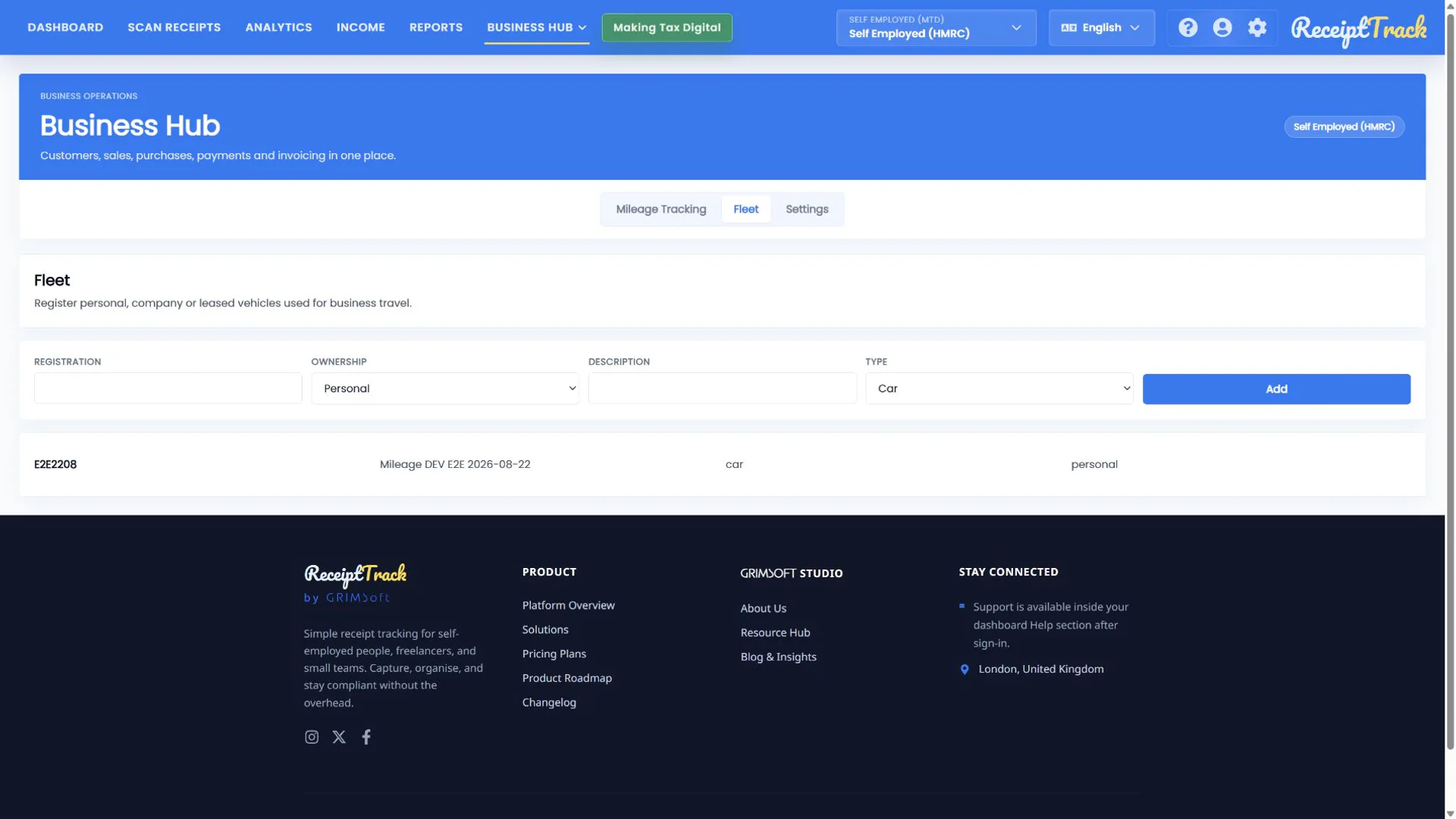
Open Fleet, complete registration, ownership, description and type, then choose Add. Existing rows identify vehicles available to the journey form.
2. Choose ownership and type carefully
Personal, company and leased ownership affect business handling. Type selects the applicable rate family, so do not record a motorcycle or bicycle as a car merely for convenience.
3. Review Settings and rates
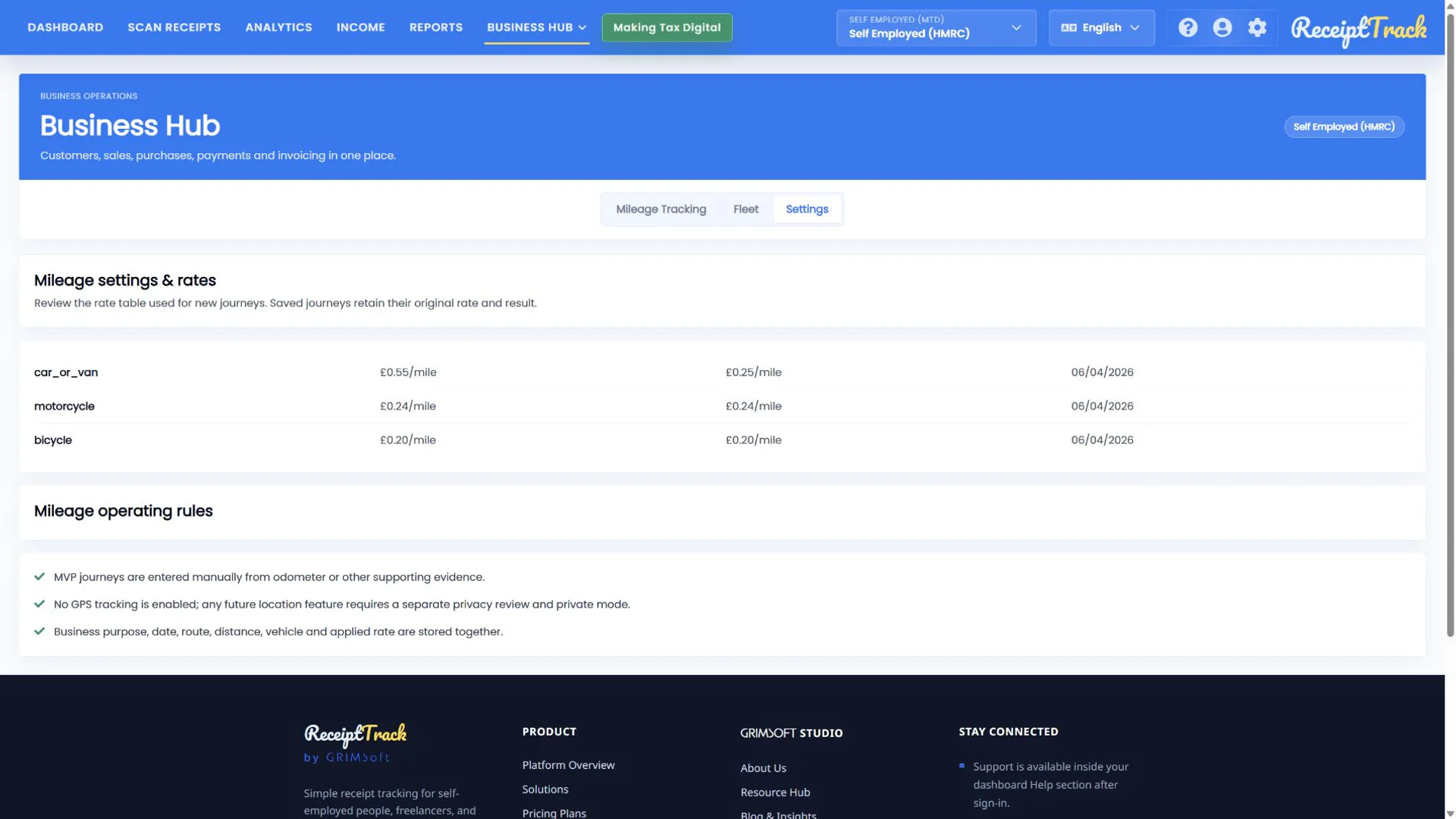
Settings shows the tax-year version, source and operating rules. The current guide view shows the configured car/van band rates and separate motorcycle and bicycle rates. Always use the effective rates displayed for the journey tax year.
4. Preserve evidence
Mileage claims require business purpose, route, date, vehicle and miles. The server applies the versioned rate and cumulative band; the user should not override the calculation with a hand-entered rate.
- Vehicle registration and ownership are accurate.
- Type matches the real vehicle.
- The effective tax year and rate source are understood.
- Journey evidence requirements are clear.
- A vehicle cannot be selected until added to Fleet.
- Using the wrong type can produce the wrong rate family.
- Rates may differ by tax year, so do not copy an old calculation.
- Settings explains policy; it does not create a claim.
Mileage setup checklist
- Vehicle added
- Ownership checked
- Vehicle type checked
- Tax year/rates reviewed
- Evidence rules understood
Mileage tracking has a sound foundation
Accurate fleet data and server-versioned rates keep later journeys and claims consistent and reviewable.
Sources
- ReceiptTrack Business Hub product guide
- ReceiptTrack pricing and Business Hub access
- ReceiptTrack product overview
Related guides
- Record Mileage journeys, claims, approvals and reimbursements
- Business Hub quickstart: access, Overview and navigation
All ReceiptTrack Business Hub guides See the product Start free