ReceiptTrack
Record payments and allocate them to invoices
Choose Record payment, set received or paid, date, amount, method and reference, then Save. In the register select the matching invoice, confirm the allocation amount and choose Allocate. A payment can remain partly unallocated. Capture real money movement and connect it to the correct sales or purchase documents.
Quick answer
Choose Record payment, set received or paid, date, amount, method and reference, then Save. In the register select the matching invoice, confirm the allocation amount and choose Allocate. A payment can remain partly unallocated.
Before you start
- Confirm the bank/cash movement actually happened.
- Know whether money was received or paid.
- Have the matching invoice or supplier bill approved and available.
- Record a payment.
- Allocate it fully or partially.
- Read settlement and unallocated balances.
1. Record money movement
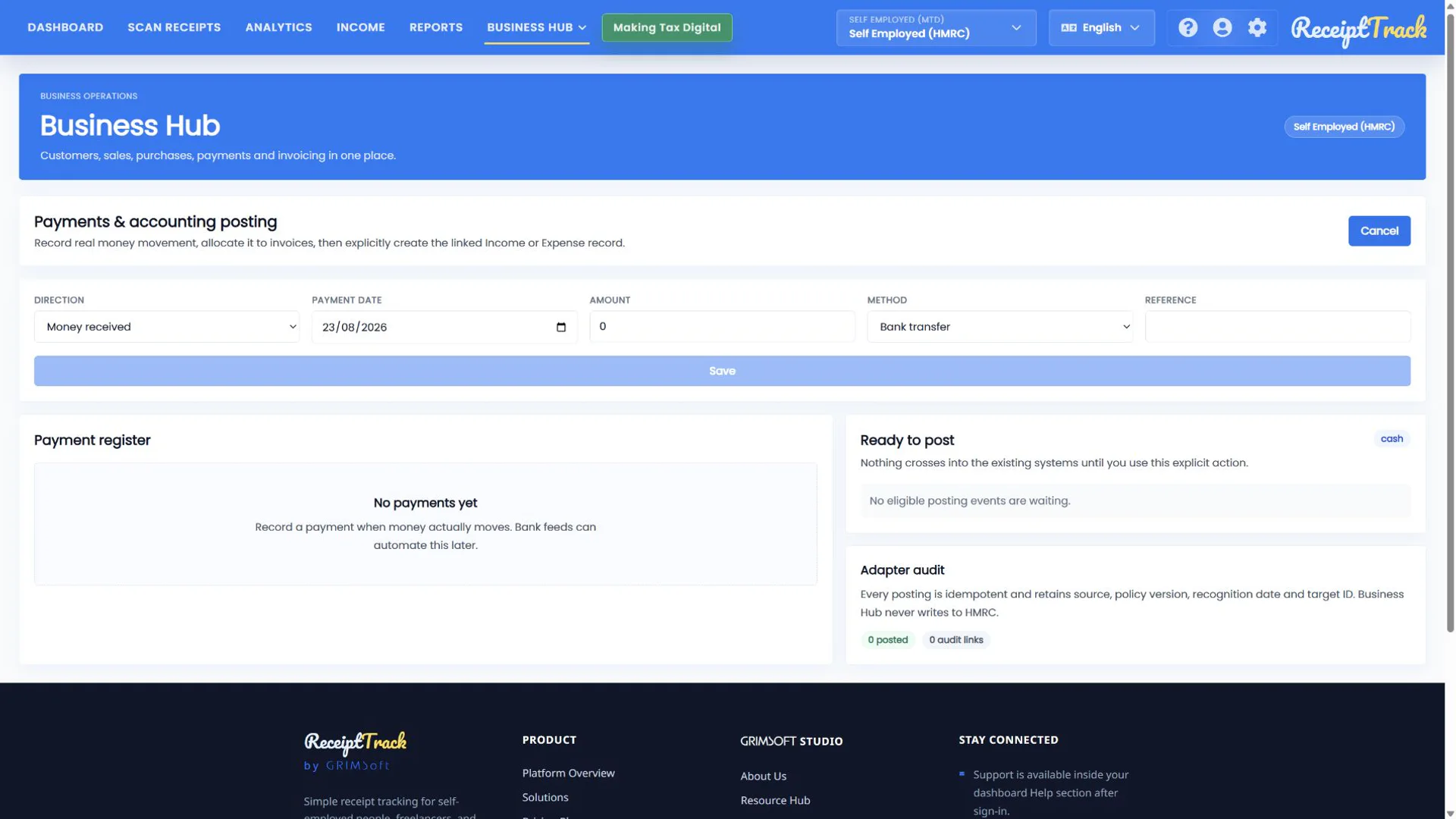
Open Payments and choose Record payment. Select direction—received or made—then date, amount, method (bank transfer, cash, card, cheque or other) and a useful reference. Cancel discards it; Save adds it to the register.
2. Read the register
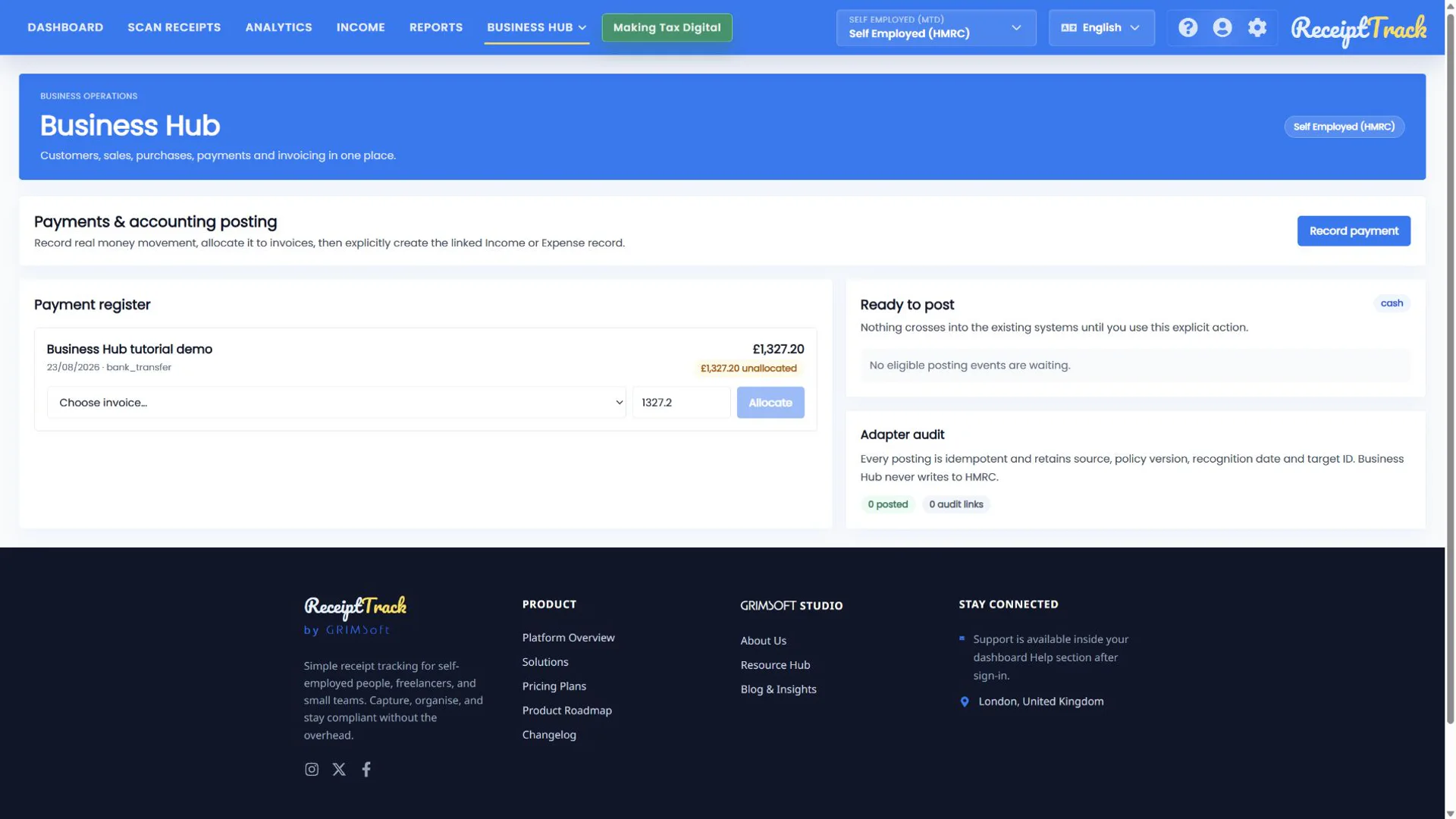
Each row shows the original amount, allocated amount, remaining unallocated value and posting state. A saved payment is not automatically matched to an invoice.
3. Allocate the payment
Select the matching sales invoice or supplier bill, check the suggested amount and choose Allocate. Use a smaller amount for a part-payment; allocate the remainder later or to another supported document.
4. Verify settlement
The document outstanding balance falls by the allocated amount. Fully allocated does not mean posted: Ready to post remains a separate, explicit accounting action.
- Direction, date, amount and method match evidence.
- Reference supports reconciliation.
- Allocated and unallocated values add back to the payment.
- Invoice outstanding balance is correct.
- The wrong direction offers the wrong document type.
- Do not allocate more than the available payment or document balance.
- A partial payment should leave a visible outstanding value.
- Deleting or changing evidence after accounting posting may be restricted.
Payment checklist
- Money movement confirmed
- Direction and method correct
- Reference saved
- Correct document selected
- Allocation and outstanding balances checked
Payment and settlement are now traceable
Separating payment capture from allocation supports deposits, part-payments and clear reconciliation without guessing.
Sources
- ReceiptTrack Business Hub product guide
- ReceiptTrack pricing and Business Hub access
- ReceiptTrack product overview
Related guides
All ReceiptTrack Business Hub guides See the product Start free