ReceiptTrack
Post Business Hub activity to Income and Expenses
After the required document/payment state is reached, open Payments > Ready to post, review the target Income or Expenses event and use Post now. The event is sent once through the adapter and the audit link records the durable result. Cross the accounting boundary deliberately and verify the idempotent audit result.
Quick answer
After the required document/payment state is reached, open Payments > Ready to post, review the target Income or Expenses event and use Post now. The event is sent once through the adapter and the audit link records the durable result.
Before you start
- Publish the correct cash or traditional accounting basis.
- Complete document review and payment/allocation steps required by that basis.
- Confirm the target workspace before posting.
- Recognise a ready candidate.
- Post explicitly to Income or Expenses.
- Verify the adapter audit and avoid duplicate entries.
1. Understand the boundary
Business Hub documents and payments remain operational records until they satisfy the configured accounting basis. Cash basis normally follows eligible money movement; traditional basis can follow the recognised document event. ReceiptTrack shows the resulting candidate instead of posting silently.
2. Review Ready to post
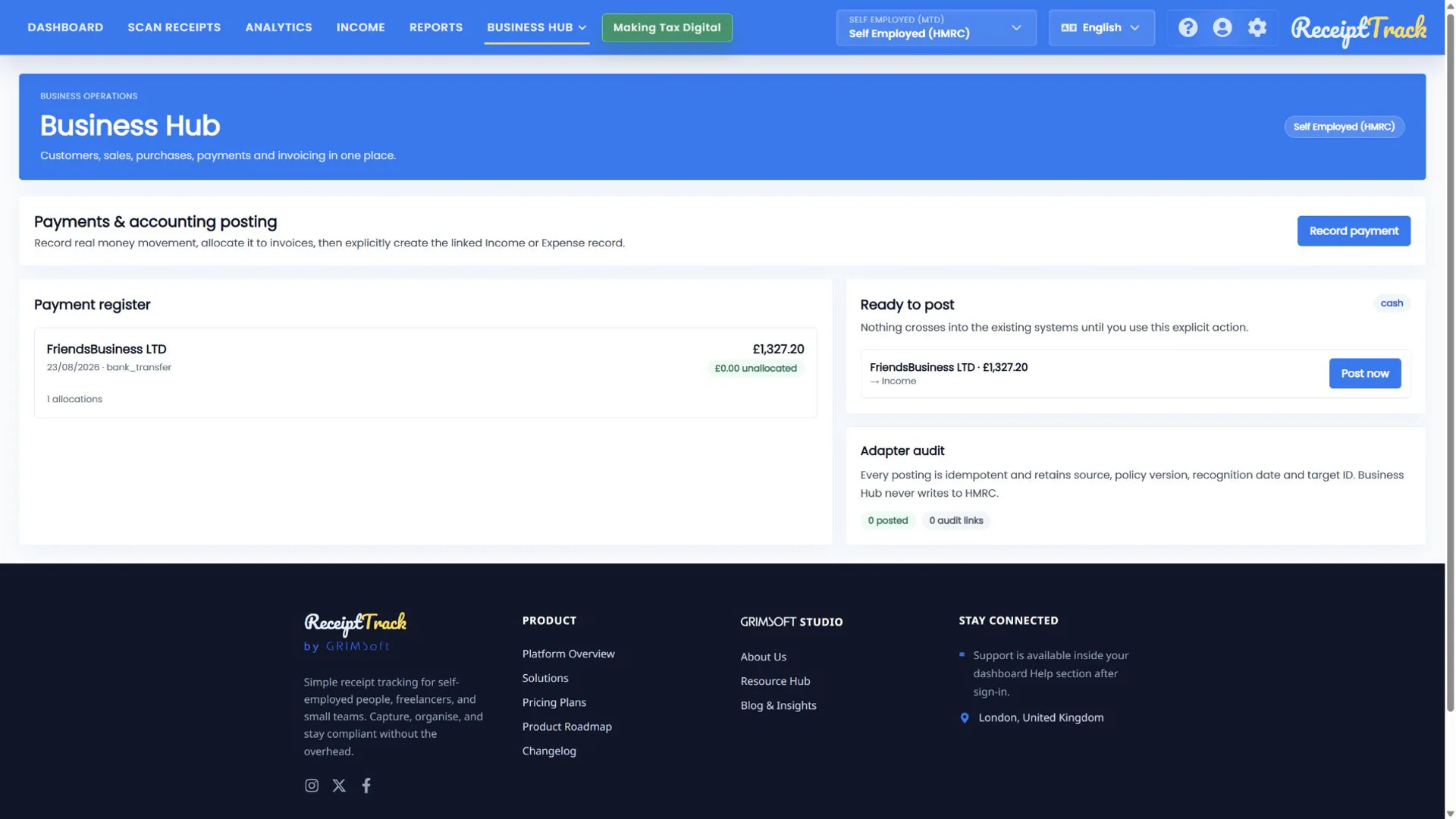
Open Payments and find Ready to post. Check source, value, date and the arrow to Income or Expenses. If anything is wrong, correct the upstream record rather than posting it.
3. Choose Post now once
Post now calls the accounting adapter with an idempotency key. Wait for the confirmed state rather than clicking repeatedly. Business Hub does not submit anything to HMRC at this step.
4. Verify the audit result
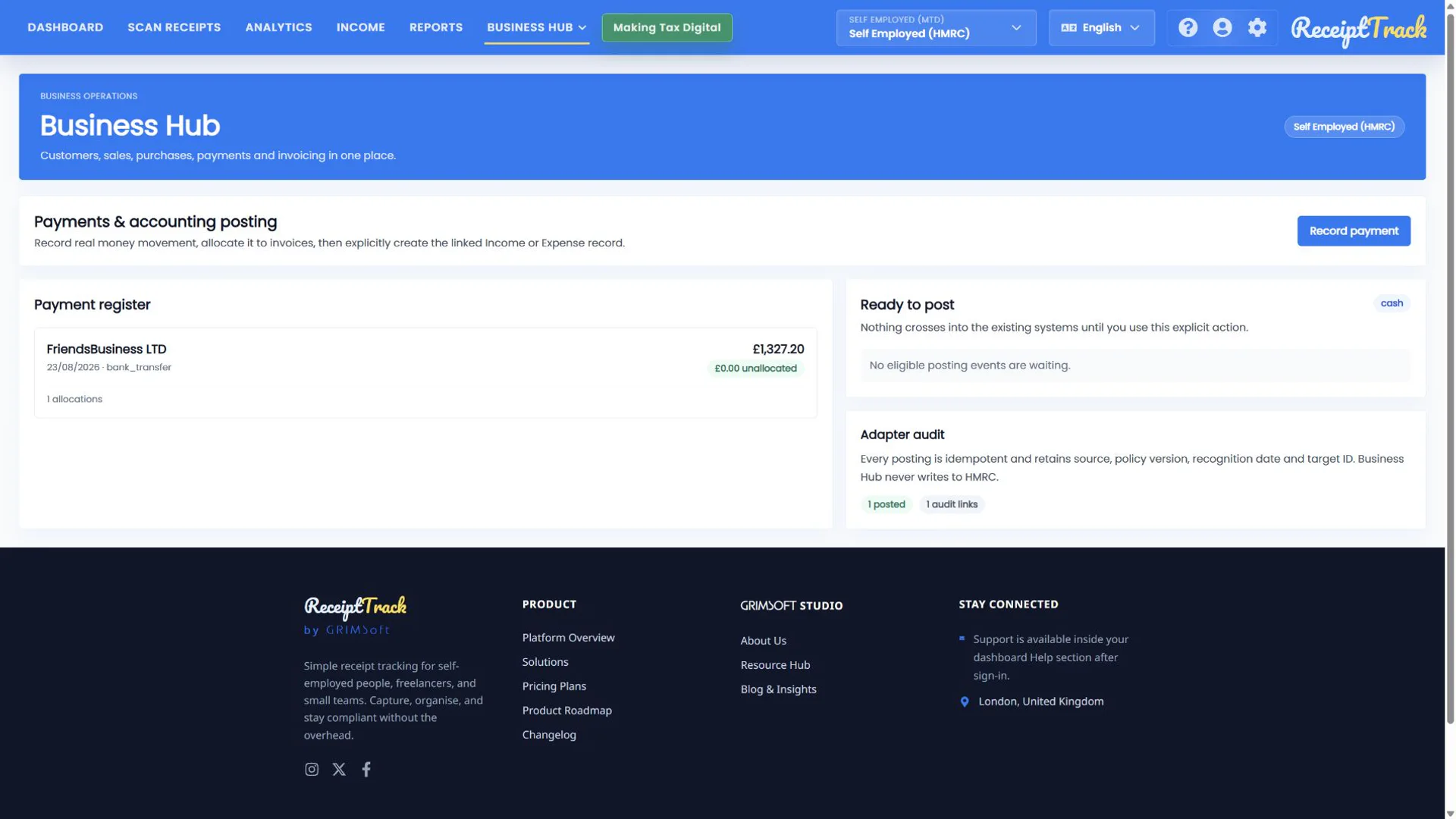
A successful candidate disappears from Ready to post, the posted counter updates and Adapter audit exposes the linked Income or Expense record. Use that link to confirm category, amount, date and source.
- Target and amount were reviewed before posting.
- Exactly one accounting record exists.
- The candidate is no longer ready.
- Adapter audit shows one durable link.
- No candidate can mean the workflow is incomplete or the accounting basis requires a different trigger.
- Do not manually duplicate the resulting Income/Expense record.
- Posting is not an HMRC submission.
- If a request times out, inspect audit/state before retrying.
Posting checklist
- Accounting basis confirmed
- Source and target reviewed
- Post now used once
- Candidate cleared
- Audit link and accounting record verified
The accounting hand-off is explicit
Ready to post and Adapter audit make the boundary observable, repeat-safe and separate from tax submission.
Sources
- ReceiptTrack Business Hub product guide
- ReceiptTrack pricing and Business Hub access
- ReceiptTrack product overview
Related guides
All ReceiptTrack Business Hub guides See the product Start free